Accepting vs Rejecting Leads
Every lead you receive needs a response. Accept, reject, or let it expire (don't do that last one). Here's how each option works and what it means for your account.
The 7-Day Response Window
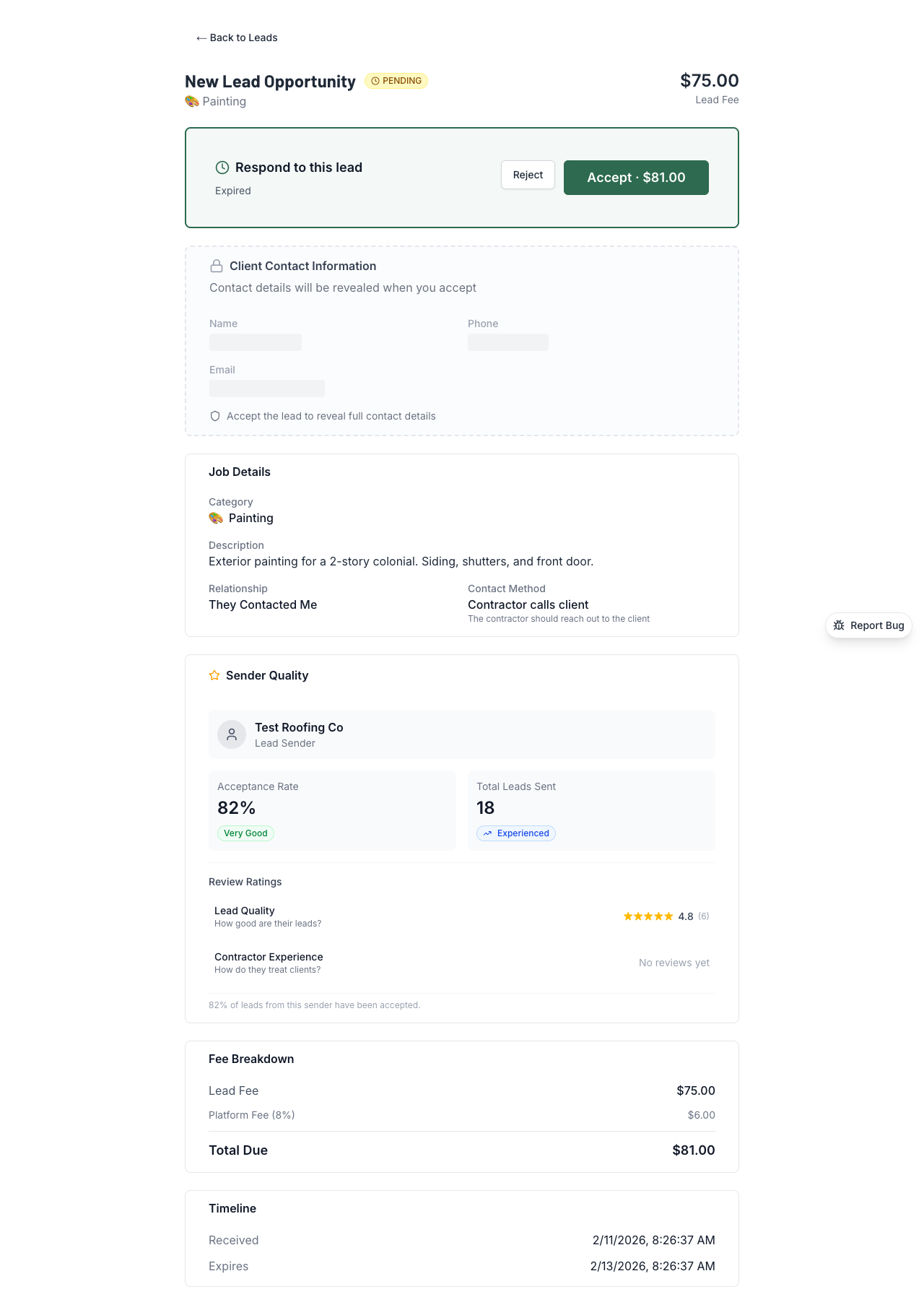
When a lead hits your inbox, you have 7 days to respond. That's it. The clock starts the moment the sender hits "Send."
🚨 Auto-Accept Warning
If you don't respond within 7 days, the lead auto-accepts and you get charged. This isn't a suggestion — it's how the system works. Set up SMS notifications so you don't miss anything.
When You Accept a Lead
- Your payment is captured (lead fee + 10% platform fee)
- The client's full contact info is revealed to you
- The hold period starts (the sender gets paid after it ends)
- You have 7 days to file a dispute if the lead turns out to be bad
When You Reject a Lead
Payment is cancelled. No charge. Simple. But you'll need to pick a rejection reason, and the category matters:
Category A — Bad Lead Quality
Wrong number, fake client, completely wrong trade. This counts against the sender's trust level.
Category B — Neutral / No Fault
Wrong service area, wrong trade (honest mistake), client already hired someone. Nobody gets dinged.
Category C — Your Issue
You're too busy, on vacation, not taking new work. Doesn't hurt the sender.
Only Category A affects the sender. So be fair — if the lead was fine but you're just swamped, pick C.
"Client Will Call" Leads
Some leads are set up differently. Instead of you calling the client, the sender gave your info to the client and they'll reach out to you.
- These have a 90-day window instead of 7 days
- You do a "soft accept" first — this shows the client's name but doesn't charge you
- When the client actually calls and schedules, you confirm the lead and get charged
- If the client never calls, you can reject after 30 days
Set a Weekly Budget
Getting more leads than you can handle? Set a weekly budget in your settings. Once you've accepted enough leads to hit your cap, new leads stop coming until next week.
Better to cap it than reject everything — mass rejections look bad even if they're all Category C.
💡 Pro Tips
- Don't let leads expire! Auto-accept means auto-charge. Set up SMS notifications in Settings → Notifications so you don't miss anything.
- Rejecting because you're too busy? Use Category C — it doesn't hurt the sender. But if the lead is garbage (wrong number, fake client), use Category A so the sender gets flagged.
- Use the weekly budget feature if you're getting more leads than you can handle. It's in Settings and keeps things manageable.
- File disputes fast. If you accept a lead and it turns out to be bad, you only have 7 days from acceptance to dispute. Don't wait to "see if it works out."