Common Issues & Fixes
Quick answers to the stuff that trips people up the most.
💡 Pro Tip
90% of issues come from incomplete setup. Go to your Profile page and make sure all three checks are green: Phone ✅, Identity ✅, Bank ✅. If any of those are missing, that's almost certainly your problem.
“I can't send leads”
You need two things before you can send leads:
- Identity verification — photo ID + selfie through Stripe Identity
- Bank account connected — via Stripe Connect
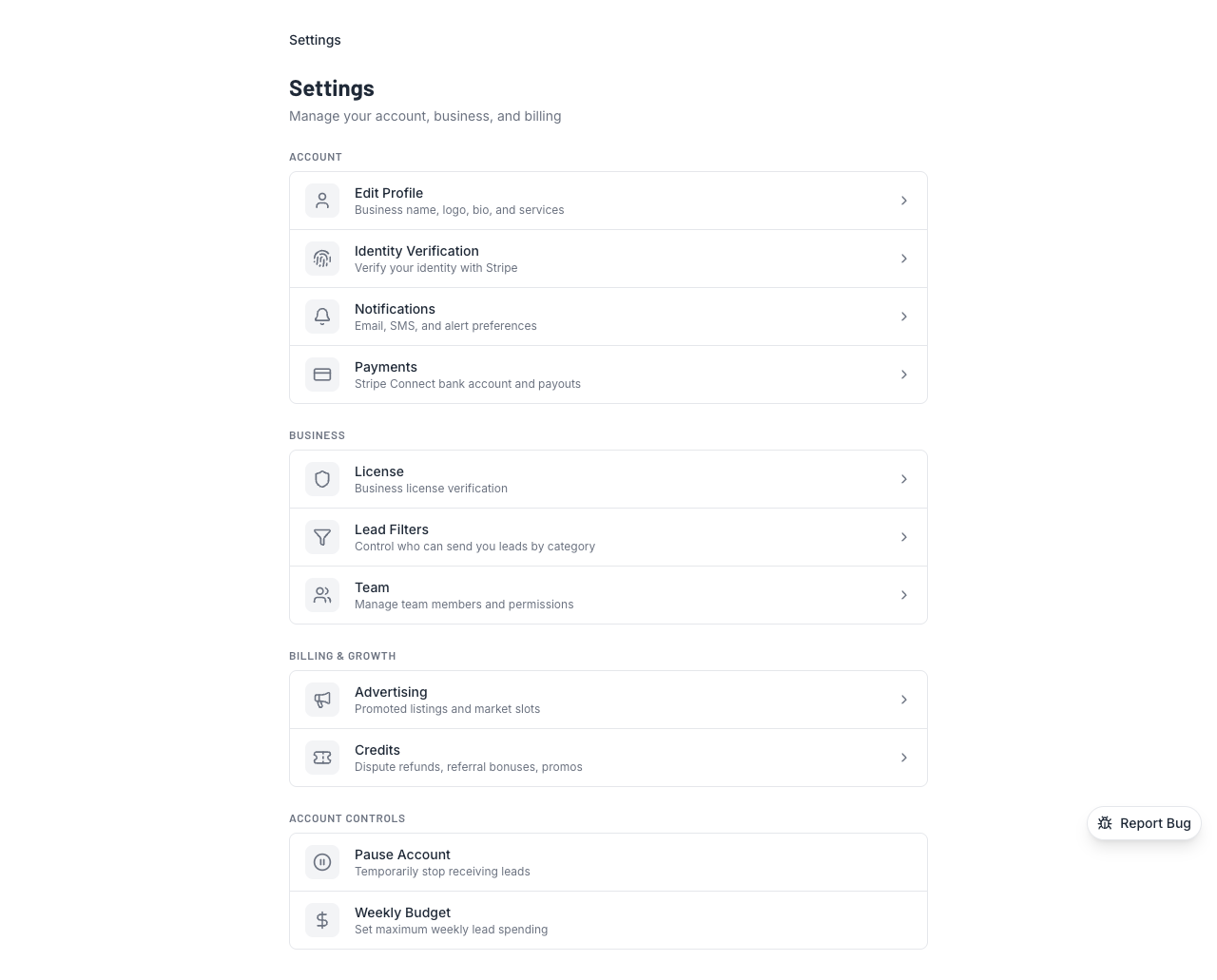
Go to Settings → Identity and Settings → Payments to check your status. Both need to show green checkmarks.
“I can't receive leads”
Same deal — identity verification + bank account. Both are required for receiving leads too. If you just signed up, make sure you finished the full setup. A lot of people skip the Stripe Connect step and wonder why nothing's coming in.
“A lead expired before I saw it”
Standard leads give you 7 daysto respond. If you miss the window, the lead auto-accepts and you get charged. Here's how to make sure that doesn't happen:
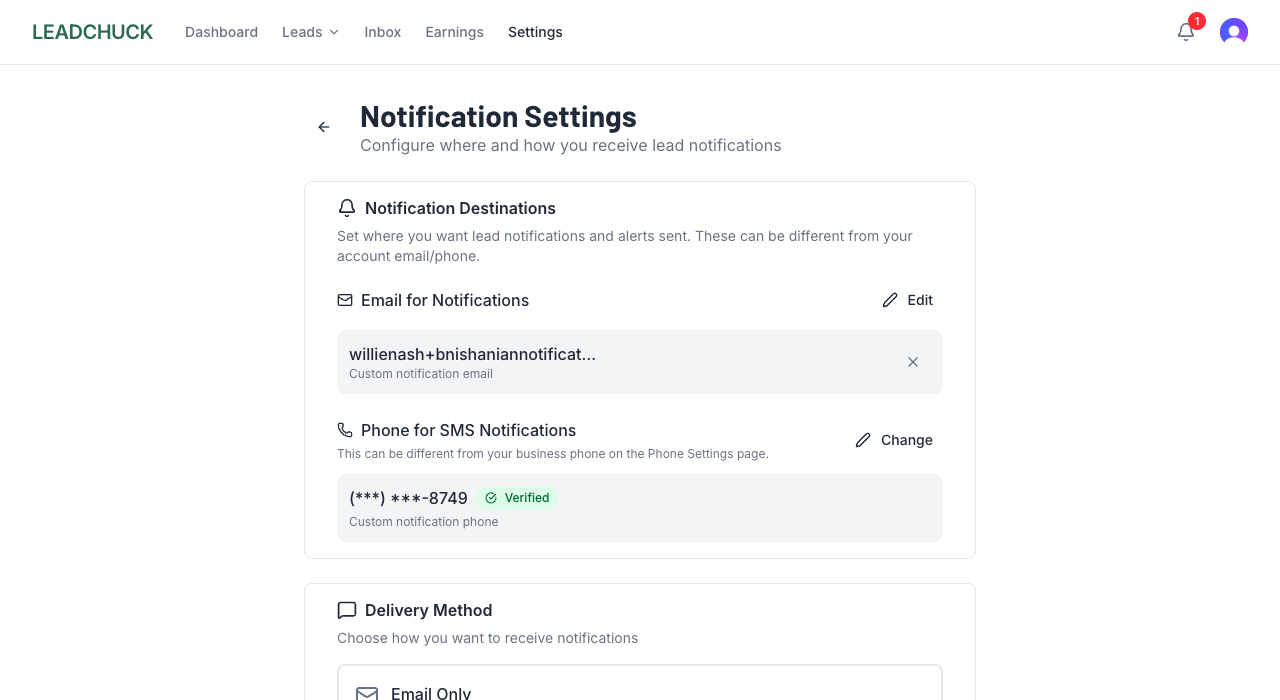
- Turn on SMS notifications — go to Settings → Notifications and enable text alerts
- Verify your phone number if you haven't already (required for SMS)
- Check your email spam folder — lead notifications might be landing there
“I got auto-charged for a lead I didn't want”
That's the auto-accept kicking in. If you don't respond to a lead within 7 days, the system assumes you want it. Next time, reject the lead before the deadline if it's not a fit.
Already happened? If the lead was genuinely bad (wrong number, fake info, etc.), you can file a dispute within 7 days of acceptance.
“I can't find anyone to send a lead to”
A few things to check:
- Try different ZIP codes — contractors set their own service areas, so nearby ZIPs might have more options
- Check your outbound lead filters — you might have category restrictions turned on that are blocking results
- Make sure you haven't blocked them— individual blocks and "favorites only" mode both limit who you can send to
“Weekly budget reached” message
You set a weekly lead cap and you've hit it. Two options:
- Wait until next week — the counter resets automatically
- Increase your weekly budget in Settings → Lead Preferences
“My account is paused”
You (or someone on your team) paused your account. While paused, you won't get any new leads. Go to Settings and hit Resume to start receiving leads again. Your profile and history are all still there.
“I'm getting leads for the wrong category or area”
Your profile controls what leads you get. Double-check:
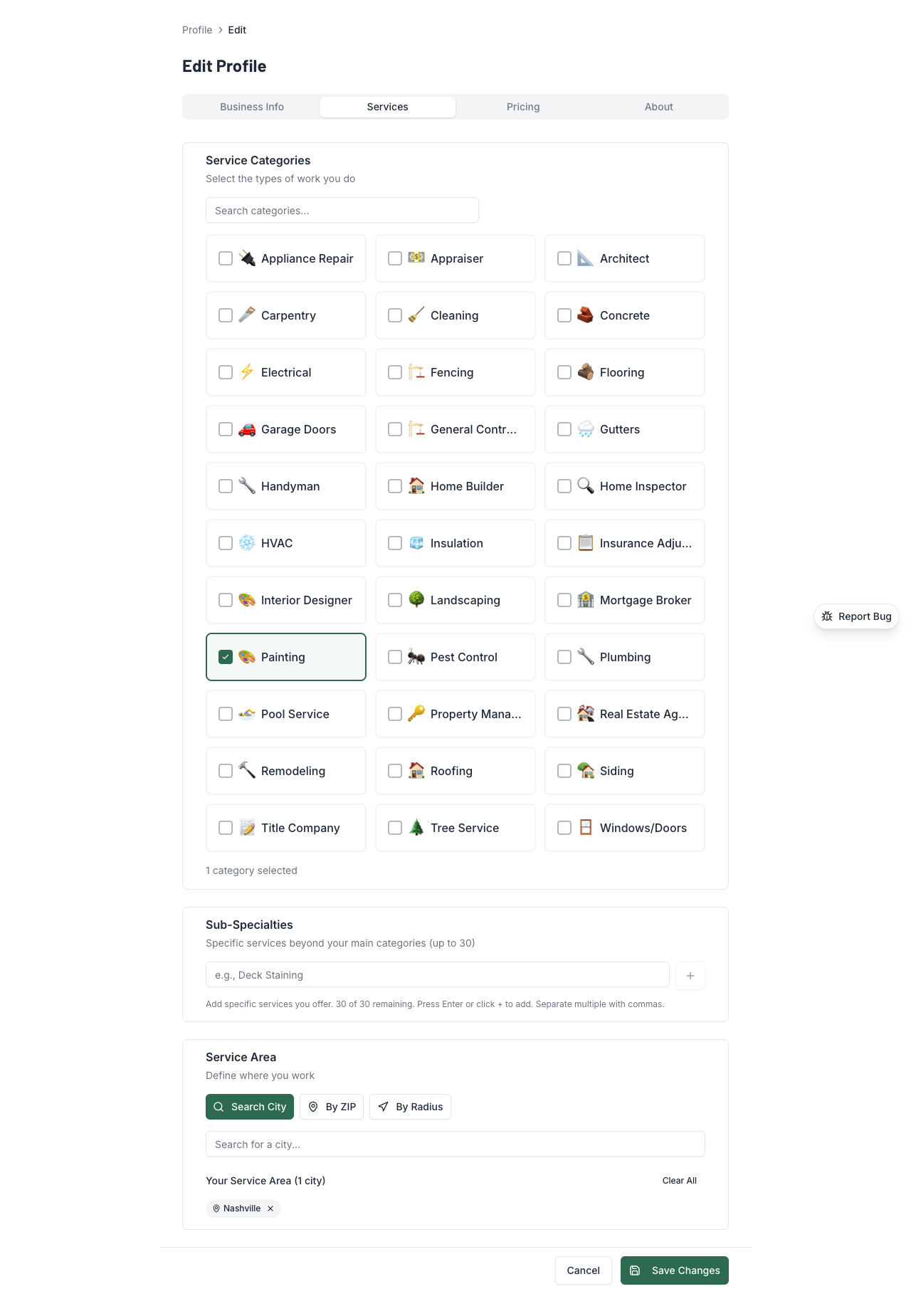
- Categories — make sure only the trades you actually do are selected
- Service area— remove cities or ZIP codes you don't cover anymore
- Lead filters — check your inbound filter settings for anything unexpected
Still stuck?
Email us at support@leadchuck.com and we'll sort it out. We usually respond within 24 hours.