Reading Your Dashboard Metrics
Your dashboard is mission control. Everything you need to know about your account is right there — here's what it all means.
The Three KPI Cards
Right at the top, you'll see three numbers:
- •Earned— Total money you've earned from sending leads. This is your all-time revenue on the platform.
- •Sent this week— How many leads you've sent in the current week. Resets every Monday.
- •Accept rate— Percentage of leads you've sent that got accepted. This is your report card.
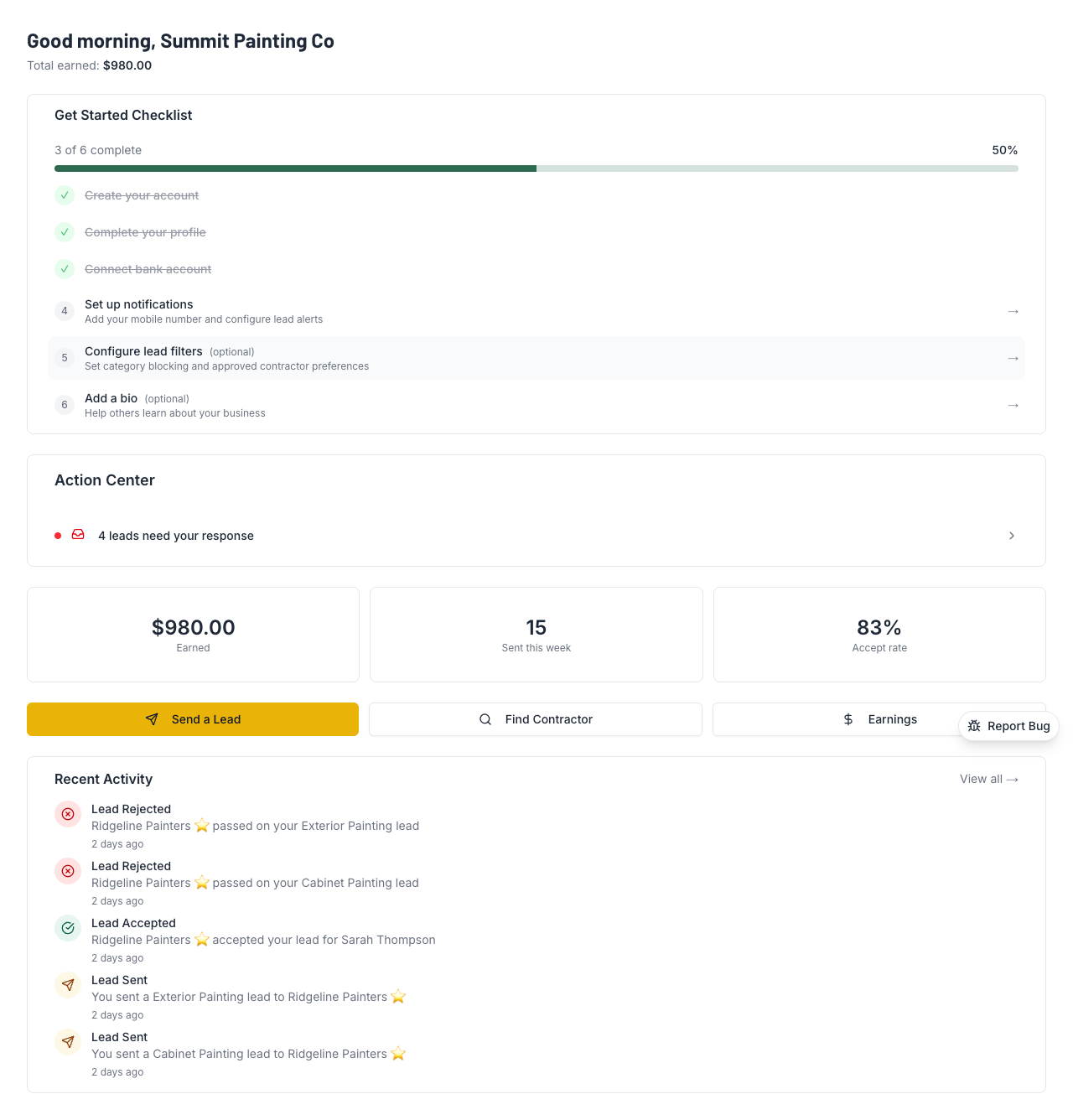
Action Center
This is your to-do list. It shows anything that needs your attention right now:
- •Pending leads waiting for you to accept or reject
- •Disputes that need a response
- •Setup steps you haven't finished yet
When everything's handled, you'll see "You're all caught up!" — that's the goal.
Quick Action Buttons
Three buttons to get you where you need to go fast:
- •Send a Lead (the big yellow one) — Start the process of sending a referral
- •Find Contractor — Browse contractors by trade and location
- •Earnings — Check your payout status and history
Recent Activity
A timeline of what's been happening on your account — leads sent, leads received, payouts, disputes, and more. Each item has a timestamp so you can see exactly when things happened.
Onboarding Checklist (New Users)
If you're new, you'll see a checklist at the top. Each item is a setup step:
- ✓Verify your identity (Stripe Identity)
- ✓Verify your phone number
- ✓Connect your bank account
- ✓Complete your profile
Get all four done and the checklist disappears. You can't send or receive leads until identity and bank are verified.
Company Scorecard & Trust Progress
Your scorecard shows your overall health metrics — leads sent, acceptance rate, and trust level. The Trust Progress Bar shows how close you are to the next level:
- •New → Verified: 5+ accepted leads, ≤30% rejection rate
- •Verified → Trusted: 20+ accepted leads, ≤20% rejection rate, 90+ days on platform
Higher trust = shorter hold periods = faster payouts. Worth paying attention to.
💡 Pro Tips
- •Check your dashboard daily.The Action Center shows anything that needs attention RIGHT NOW — don't let leads pile up.
- •The Accept Rate is your report card.Keep it above 70% to maintain Verified status. Above 80% and you're on track for Trusted.
- •Finish your setup checklist first. Everything else on the dashboard is useless until your identity and bank are verified.
- •Use "Send a Lead" from the dashboard. It's the fastest path. Don't go hunting through menus.
Dashboard confusing? Reach out and we'll walk you through it.